
Selecting the right antivirus program is essential for protecting your devices in an increasingly connected digital environment. Cybersecurity threats such as viruses, ransomware, spyware, and phishing scams continue to develop, putting both individual users and businesses at risk. Without dependable security measures, sensitive information including passwords, financial credentials, and private files can become vulnerable to theft or unauthorized access.
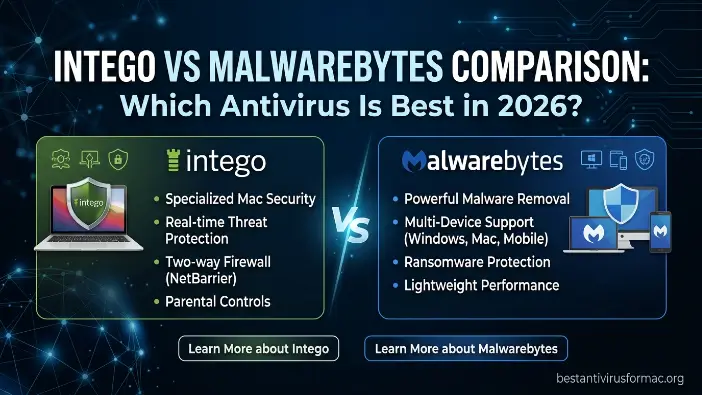
In this Intego vs Malwarebytes Comparison, we examine two established cybersecurity solutions that appeal to users for different reasons. Intego is primarily built with Mac users in mind, emphasizing comprehensive system protection within the Apple ecosystem. Malwarebytes, meanwhile, is well known for its strong malware scanning and removal capabilities and offers support across several platforms, including Windows, Mac, Android, and iOS.
What is Intego?
Intego is an antivirus and cybersecurity solution developed primarily for Mac users. It helps defend against threats such as viruses, malware, ransomware, phishing attempts, and other online security risks. Unlike many antivirus products that traditionally prioritize Windows systems, Intego places a strong emphasis on Apple’s ecosystem and provides security tools tailored to macOS performance and stability. It is commonly selected by Mac users who want dependable protection that operates efficiently without requiring complicated configuration.
Key Features of Intego
Intego offers a broad collection of security features intended to defend Mac computers against modern cyber threats. One of its core capabilities is real-time protection, which continuously watches system activity and can stop suspicious or malicious behavior before it causes harm. The software also provides ransomware protection designed to prevent unauthorized processes from encrypting or restricting access to important files.
Intego also includes a Mac-oriented firewall that manages incoming and outgoing network connections to help prevent unauthorized access. Its anti-phishing protection can warn users about deceptive websites and fraudulent online activities. Combined, these features provide multiple layers of defense designed specifically around the needs of everyday Mac users.
Strengths and Weaknesses of Intego
A major advantage of Intego is its close integration with macOS. The software is designed to operate efficiently in the background while keeping its effect on normal system performance relatively low. Its straightforward interface also makes it accessible to beginners who want effective security without having to navigate complicated technical options.
At the same time, Intego has certain limitations. Its primary focus is the Mac platform, so users who rely on Windows may not receive the same level of platform-specific functionality. Compared with broader cybersecurity suites, Intego may also provide fewer options for users seeking extensive cross-platform coverage, advanced business features, or more flexible multi-device management.
Read Also: Bitdefender vs Norton for Mac
What is Malwarebytes?
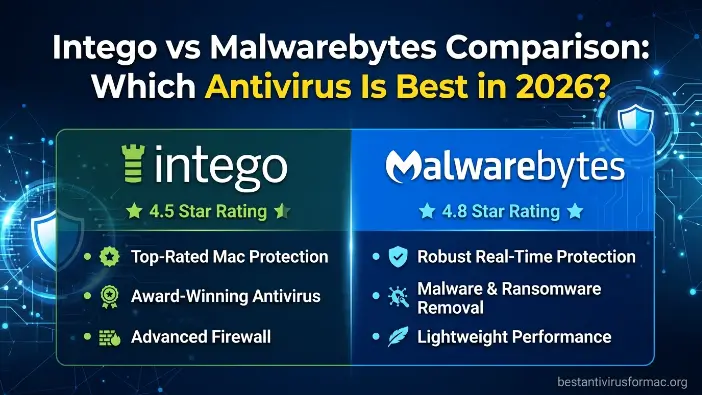
Malwarebytes is a widely used cybersecurity program that helps safeguard computers and mobile devices against malware, spyware, ransomware, and other internet-based threats. It is particularly recognized for its ability to detect and remove malicious software, making it a useful option for people who need to clean an infected device or strengthen their existing security. Unlike conventional antivirus software, Malwarebytes places considerable emphasis on finding and removing active threats while its premium version also provides continuous, real-time protection.
Key Features of Malwarebytes
Malwarebytes comes with several security features designed to defend users against both established and newly emerging threats. Its primary advantage is its advanced malware detection technology, which can identify and remove harmful programs from a device efficiently. The premium edition also adds real-time protection to help prevent threats from reaching or compromising the system.
It also includes web protection that can block unsafe websites, phishing attempts, and harmful downloads. Malwarebytes is relatively lightweight, allowing it to operate without placing a significant burden on computer performance. Another important benefit is its support for multiple platforms, including Windows, Mac, Android, and iOS, giving users the ability to use one security solution across different devices.
Strengths and Weaknesses of Malwarebytes
A major strength of Malwarebytes is its effective malware detection and cleanup technology. It performs particularly well when dealing with systems that are already infected, making it a useful secondary security program as well as a practical standalone option for many users. Its straightforward, user-friendly interface is another advantage, allowing beginners to navigate the software without requiring advanced technical skills.
Despite these benefits, Malwarebytes has some limitations. Compared with comprehensive antivirus suites, it does not provide the same range of advanced functions, such as detailed firewall controls or extensive system optimization features. Although the premium edition includes real-time protection, Malwarebytes is still commonly viewed as a malware-focused security and removal solution rather than a complete cybersecurity suite in every area.
Feature Comparison: Intego vs Malwarebytes
In this Intego vs Malwarebytes Comparison, both products aim to defend users against cyber threats, but their overall approaches are quite different. Intego is a comprehensive security suite developed with Mac users in mind, whereas Malwarebytes concentrates on rapid malware detection, cleanup, and lightweight protection across several platforms. As a result, the practical differences between them become more noticeable depending on whether a user needs broader system security or straightforward malware protection.
Malware Protection & Detection Rates
Intego delivers strong malware protection that is primarily tailored to Mac computers. It combines real-time scanning with behavior-based detection to identify viruses, ransomware, and other harmful activity before they can cause damage. Because it is developed specifically for macOS, it can identify Mac-oriented threats efficiently and integrate closely with operating-system processes for ongoing protection.
Malwarebytes is well known for its powerful malware scanning and removal capabilities. It is particularly useful for cleaning compromised systems by detecting spyware, adware, trojans, and concealed malicious files. While Intego places greater emphasis on preventing infections, Malwarebytes is especially focused on finding and removing threats that may already be present on a device.
Real-Time Protection
Intego delivers continuous real-time security that operates in the background of macOS. It monitors applications, downloads, and system activity while blocking suspicious behavior as it occurs. Its Mac-specific design also allows the protection to integrate naturally with the operating system without creating a noticeable impact during normal use.
Malwarebytes offers real-time protection through its premium version as well. This protection can block malicious websites, dangerous downloads, and suspicious processes before they are able to run. Its approach is generally lighter and concentrates on essential security functions rather than the deeper system-level monitoring offered by a dedicated Mac security suite such as Intego.
Ransomware Defense
Intego includes dedicated ransomware protection intended to prevent unauthorized encryption of files. It monitors file activity for unusual behavior and can block ransomware attempts to encrypt, lock, or damage important documents. This can be particularly useful for Mac users who keep personal, business, or sensitive files on their computers.
Malwarebytes also includes ransomware protection, primarily using behavioral detection to recognize suspicious activity. It can identify ransomware-related behavior and intervene before serious damage occurs, although its approach does not provide the same level of Mac-specific ransomware controls and system integration associated with Intego.
Web & Phishing Protection
Intego protects users during everyday browsing by helping block unsafe websites and phishing pages before they can be accessed. Its Mac-oriented design works with common browsing activities to reduce the risk of users entering credentials into fraudulent pages or downloading harmful material.
Malwarebytes likewise provides web protection across several supported platforms. It can block phishing links, fraudulent websites, and malicious downloads as users browse. Its multi-platform approach makes it convenient for people who regularly move between Windows, Mac, and mobile devices while wanting consistent protection.
Extra Security Tools
Intego offers a broader security package that includes additional tools such as firewall protection, network security, and system optimization capabilities. These features provide users with greater control over different aspects of Mac security and performance, making Intego more comparable to a complete cybersecurity suite than a basic malware scanner.
Malwarebytes takes a more streamlined approach and keeps its feature set lightweight. Its main focus remains malware detection and removal rather than advanced firewall controls or extensive system optimization. This simpler design can make the software easier to manage, although it provides fewer additional security tools than Intego.
Performance & System Impact
In this Intego vs Malwarebytes Comparison, performance matters because security software needs to protect a device while keeping everyday tasks responsive. Both Intego and Malwarebytes are designed with efficiency in mind, although their resource usage and optimization differ according to their design and supported platforms. Intego is closely optimized for macOS, while Malwarebytes aims to maintain a relatively small and efficient footprint across Windows and Mac.
Intego Performance on Mac
Intego is developed specifically for macOS, enabling it to operate smoothly without placing excessive demands on system resources. It performs security tasks in the background and uses optimized scanning techniques designed to minimize disruption during activities such as browsing, streaming, or handling large files.
Its close integration with the Mac environment also helps its real-time protection and scanning processes operate efficiently. During full system scans, the performance impact is generally limited for typical users. This makes it suitable for people who want ongoing security while continuing to use their Mac for everyday workloads.
Malwarebytes Performance on Windows/Mac
Malwarebytes is also recognized for its lightweight operation and fast scanning performance, particularly compared with some traditional antivirus programs. Its relatively small system footprint allows it to run efficiently on Windows and Mac computers, including systems with more modest hardware specifications.
On Windows, Malwarebytes can perform scans and real-time security tasks without creating a significant slowdown for typical activities. On Mac, it also maintains a lightweight footprint, although it is not as specifically optimized for macOS processes as Intego. Its streamlined design nevertheless helps prevent unnecessary system load, making it practical for users seeking straightforward protection across multiple platforms.
Pricing Comparison
In this guide, Intego vs Malwarebytes Comparison, cost is an important consideration because the two products use different pricing approaches. Intego is a premium security suite centered on Mac protection and combines several security functions within its plans, while Malwarebytes provides a more flexible model that includes free and paid options. As a result, Intego is aimed more toward users seeking a bundled security package, whereas Malwarebytes can appeal to people looking for a simpler and more affordable security solution.
Intego Pricing Plans
Intego uses subscription-based plans primarily intended for Mac users who want broad security coverage. Depending on the plan, its security package can combine antivirus protection, firewall capabilities, ransomware defense, and other Mac-focused tools. This gives it the structure of a complete security suite rather than a single-purpose malware protection product.
Its pricing is generally higher than that of basic antivirus or malware-focused tools, particularly when multiple devices are involved. However, annual subscriptions may include discounts, which can reduce the effective cost for users who plan to continue using the software within the Mac ecosystem over a longer period.
Malwarebytes Pricing Plans
Malwarebytes follows a flexible pricing structure that includes a free edition alongside its premium subscription. The free version allows users to perform manual scans and remove detected malware, making it useful for on-demand system cleanup and basic troubleshooting.
The premium edition adds features such as continuous real-time protection, web filtering, and ransomware defense. It is generally positioned as a more affordable alternative to larger security suites and supports several platforms, including Windows, Mac, Android, and iOS, which can make it practical for households or users with multiple types of devices.
Value for Money Analysis
Intego can provide strong value for Mac users who want several security functions within one dedicated suite. Its combination of features such as firewall protection, malware scanning, ransomware defense, and system tools can make the higher subscription cost worthwhile for users seeking broader Mac security.
Malwarebytes offers useful value for people who prioritize affordable, lightweight, and effective malware protection. It can work well as a straightforward security solution and is also useful for users who want an additional defensive layer alongside another antivirus product.
Ease of Use & User Experience
In this Intego vs Malwarebytes Comparison, usability is an important consideration because security software should remain accessible to beginners while continuing to work effectively in the background. Both programs are designed with ease of use in mind, but their interfaces serve different purposes. Intego presents more of a complete security-suite experience with additional controls, whereas Malwarebytes emphasizes simple navigation and quick security actions with minimal configuration.
Intego Interface Review
Intego uses a structured interface designed primarily around the Mac experience. Its layout organizes functions into recognizable areas, including antivirus scanning, firewall controls, and real-time protection settings. This organization helps users locate individual security functions without having to navigate unnecessarily complicated menus.
Because Intego includes several more advanced security capabilities, new users may initially find the interface somewhat more detailed. It can take a little time to become familiar with the available controls, but after that learning period, the layout remains manageable and provides users with greater visibility into their Mac’s security settings.
Malwarebytes Interface Review
Malwarebytes uses a clean and minimal interface built around quick, straightforward actions. Its primary dashboard highlights important information such as scan options, real-time protection status, and the overall security condition of the device. This uncluttered presentation allows users to understand the software’s status without navigating through numerous advanced menus.
This straightforward design makes Malwarebytes particularly suitable for beginners and people who prefer a “set it and forget it” security approach. Common actions, including starting a scan or checking protection status, can generally be performed with very little effort. As a result, users do not need extensive technical experience to operate the software, making its interface accessible to a broad range of users.
Which One Is Better for You?
In this Intego vs Malwarebytes Comparison, the appropriate option depends on factors such as the device being protected, the user’s experience, and the level of security required. The two products serve different purposes: Intego is centered on comprehensive Mac security, while Malwarebytes emphasizes straightforward, efficient malware protection across multiple platforms.
Best for Mac users
Intego is designed specifically for Mac users and provides deeper integration with macOS security features. It combines capabilities such as real-time scanning, firewall controls, and ransomware protection within the Apple ecosystem, giving users a broader collection of security tools while maintaining an emphasis on system performance.
Key points:
- Designed specifically around macOS security
- Provides strong real-time protection against Mac-based threats
- Includes firewall and ransomware protection features
- Offers Mac-focused system optimization capabilities
- Provides a more comprehensive security package for Mac users
Best for Windows users
Malwarebytes provides strong malware detection and efficient operation on Windows systems. It is particularly useful for finding and removing existing infections, including spyware, adware, and trojans, making it a practical option for users dealing with compromised devices. It also helps protect against common Windows-related online risks, including phishing pages and malicious downloads.
Key points:
- Runs efficiently on Windows systems
- Strong capability for malware and spyware removal
- Lightweight operation with limited system slowdown
- Provides protection against phishing and harmful websites
- Easy to incorporate into everyday Windows security routines
Best for beginners
Malwarebytes is well suited to beginners because its interface is straightforward, uncluttered, and easy to understand. Users can perform scans, check protection, and manage essential security functions without needing extensive technical knowledge. This makes it a convenient option for people who want practical protection without having to work through numerous complicated settings or configurations.
Key points:
- Clean and easy-to-understand interface
- Simple scanning and protection controls
- Requires little technical knowledge
- Clear dashboard focused on essential functions
- Suitable for a “set and forget” security approach
Best for advanced protection needs
Intego is designed for users seeking a broader security package with more detailed control over their Mac. Its combination of multiple protection layers and additional security tools gives users more opportunities to manage different aspects of system security than Malwarebytes. This can suit people who want comprehensive coverage, greater customization, and more control over their security configuration.
Key points:
- Comprehensive security suite with multiple protection tools
- Advanced firewall and network security features
- Dedicated ransomware protection
- Greater control over security configurations
- Suitable for users seeking detailed security management
Pros and Cons Summary
In this Intego vs Malwarebytes Comparison, both products provide meaningful security capabilities, but their strengths are centered on different areas. Intego functions as a comprehensive security suite focused on Mac systems and deeper system protection, while Malwarebytes is a lightweight solution particularly recognized for malware detection and removal. Comparing these differences can help users identify which type of protection better matches their device and security requirements.
Intego vs Malwarebytes Pros & Cons Table
| Feature | Intego Pros | Intego Cons | Malwarebytes Pros | Malwarebytes Cons |
| Protection Strength | Strong Mac-focused protection with deep system-level integration | Limited Windows support | Excellent malware detection and removal | Not a full antivirus suite for all needs |
| Features | Includes firewall, real-time scanning, and ransomware defense | Fewer enterprise-level advanced tools | Lightweight and fast performance | Lacks advanced firewall and optimization tools |
| Usability | Easy-to-use Mac-friendly interface | Focused mainly on the macOS ecosystem | Very simple and beginner-friendly | Some features are locked behind the premium version |
| Performance | Runs smoothly with minimal system impact on Mac | Less flexible for cross-platform use | Works efficiently on Windows, Mac, and mobile | Less deep system integration than full suites |
| Coverage | Complete all-in-one Mac security suite | Not ideal for multi-platform environments | Supports Windows, Mac, Android, and iOS | Limited advanced customization options |
Frequently Asked Questions
Is Intego better than Malwarebytes?
In this Intego vs Malwarebytes Comparison, Intego is better for Mac users who want a complete security suite with a firewall, ransomware protection, and deep system integration. Malwarebytes is better for users who want strong malware detection and simple, lightweight protection across multiple devices.
Can Malwarebytes replace a full antivirus?
Malwarebytes provides strong malware protection, but it is not always considered a full antivirus replacement. It is excellent for detecting and removing threats, but it lacks some advanced features like firewall control and full system security tools that complete antivirus suites offer.
Is Intego only for Mac?
Yes, Intego is mainly designed for macOS. It focuses on Apple users and provides optimized protection for Mac systems. It is not widely used for Windows compared to cross-platform security tools like Malwarebytes.
Does Malwarebytes slow down your computer?
No, Malwarebytes is designed to be lightweight and efficient. It runs in the background with minimal system impact, making it suitable even for older or low-performance devices.
Which is better for beginners, Intego or Malwarebytes?
Malwarebytes is better for beginners because it has a very simple interface and requires minimal setup. Users can easily run scans and enable protection with just a few clicks.
Conclusion
In this Intego vs Malwarebytes Comparison, both security tools deliver strong protection, but are designed for different types of users. Intego is a complete Mac-focused security suite that provides advanced features like real-time scanning, firewall control, and ransomware protection. It is best suited for users who want a full and deeply integrated security solution for macOS.
Malwarebytes, on the other hand, is a lightweight and highly effective tool that focuses on malware detection and removal across multiple platforms. It is ideal for users who prefer simple, fast, and easy-to-use protection, especially for cleaning infected systems or adding an extra layer of security. Overall, the choice depends on your needs: Intego is better for complete Mac security, while Malwarebytes is better for quick, efficient, and cross-platform malware protection.