

Mac users often assume their systems are completely safe from viruses, but this belief is no longer fully accurate. Cyber threats such as malware, phishing attacks, spyware, and ransomware are now increasingly targeting macOS users through emails, fake websites, and unsafe downloads. Because of this, relying only on built-in protection is not always enough for complete security.
In this Avast Security for Mac Review, we take a closer and more practical look at how Avast performs as a security solution for Mac users. We will explore its real-world protection ability, core features, system performance impact, and overall value. This will help you clearly understand whether Avast is a suitable choice for keeping your Mac safe in today’s evolving digital threat environment.
What is Avast Security for Mac?
Avast Security for Mac is a cybersecurity application designed to protect macOS devices from viruses, malware, spyware, ransomware, phishing websites, and other online threats. It works by continuously scanning your system and monitoring internet activity to detect and block suspicious behavior in real time. The software is built to offer both basic and advanced protection, depending on whether you use the free or premium version. Overall, it acts as a security shield for your Mac, helping prevent infections before they can harm your files, steal personal data, or slow down your system. It is widely used because it combines ease of use with strong core protection features suitable for everyday users.
Overview of Avast Mac Antivirus
Avast Mac Antivirus is designed with a simple interface and strong core protection tools. It focuses on essential security features such as malware scanning, web protection, and real-time threat detection. The software runs quietly in the background and alerts users only when necessary, making it easy to use even for beginners.
It also includes features like Smart Scan, which checks your Mac for security issues, outdated software, and potential vulnerabilities in one quick scan. This helps users maintain a clean and secure system without needing technical knowledge or manual configuration.
Free vs Premium Version Differences
The free version of Avast Security for Mac provides basic protection, including manual malware scanning and limited real-time defense. It is useful for detecting and removing existing threats, but it does not fully protect your system continuously.
The premium version offers advanced security features such as ransomware protection, phishing protection, Wi-Fi security scanning, and stronger real-time monitoring. It is designed for users who want full-time protection and a safer browsing experience. In simple terms, the free version is basic cleanup, while the premium version is complete active protection.
Read Also: Malwarebytes Premium for Mac Review
Key Features of Avast Security for Mac
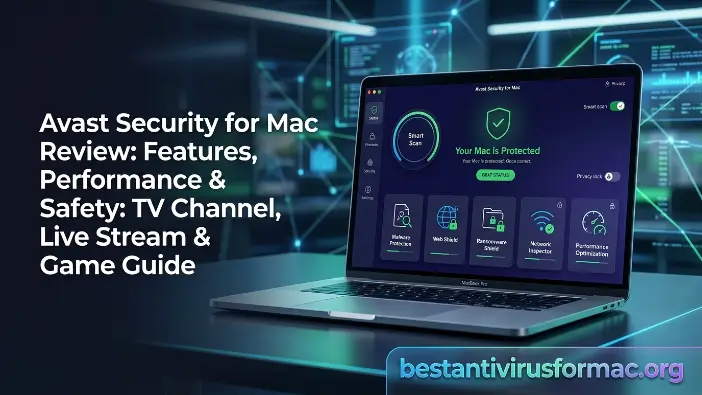
Avast Security for Mac offers a powerful set of security tools designed to protect macOS users from modern cyber threats such as malware, phishing attacks, ransomware, spyware, and unsafe websites. It works through a combination of real-time monitoring, smart scanning, and advanced detection technologies to identify and block threats before they can harm your system. The software is built to deliver strong protection while keeping system performance stable and user-friendly. Overall, its features are focused on preventing infections at an early stage, improving online safety, and maintaining system health without requiring advanced technical knowledge from the user.
Real-Time Threat Protection
Real-time threat protection is the core security layer of Avast Security for Mac, designed to continuously monitor every activity happening on your system. This includes file downloads, application behavior, email attachments, and website activity. The moment something suspicious is detected, Avast immediately blocks it before it can execute or spread across your system.
This proactive protection is important because modern malware often works silently in the background or enters through trusted-looking websites and files. Instead of waiting for a manual scan, real-time protection ensures that threats are stopped instantly at the entry point. It significantly reduces the risk of infection and provides continuous security without user intervention, making it one of the most essential features for everyday Mac safety.
Malware Detection Engine
The malware detection engine in Avast Security for Mac uses a combination of signature-based scanning and behavioral analysis to identify threats. Signature-based detection checks files against a database of known malware, while behavioral analysis observes how programs behave to detect suspicious or harmful activity, even if the malware is new or previously unknown.
This dual-layer approach allows Avast to detect a wide range of threats, including viruses, spyware, adware, and potentially unwanted programs (PUPs). It is especially effective against modern cyber threats that are designed to bypass traditional antivirus systems. Regular updates to the malware database ensure that the system stays capable of recognizing new attack methods, providing users with consistent and up-to-date protection.
Web & Email Shield Protection
Web and Email Shield Protection is designed to secure your online activity by blocking dangerous websites and suspicious email content. Many cyberattacks today rely on phishing websites that look real but are created to steal sensitive information such as passwords, banking details, and personal data. Avast actively scans URLs and blocks access to these malicious pages before they load in your browser.
In addition, the email protection feature scans attachments and links inside emails to detect hidden threats. This is especially important because email remains one of the most common ways for cybercriminals to spread malware. By filtering unsafe content before you interact with it, this feature adds a strong layer of defense against online scams and identity theft.
Ransomware Protection Tools
Ransomware protection in Avast Security for Mac focuses on preventing attackers from encrypting your personal files and demanding payment for their release. It continuously monitors file activity on your system and looks for unusual behavior, such as unauthorized mass file encryption or modification.
When suspicious activity is detected, Avast immediately stops the process to prevent damage to your data. This is crucial because ransomware attacks can lock important files like documents, photos, and system data permanently. By acting in real time, this feature helps ensure that your personal and professional files remain safe even if a malicious program manages to enter your system.
Smart Scan Technology
Smart Scan Technology is an all-in-one diagnostic tool that simplifies system security checks for users. Instead of running separate scans for malware, vulnerabilities, and system issues, Smart Scan performs everything in a single quick process. It checks for viruses, outdated software, weak system settings, and hidden security risks.
After completing the scan, it provides a clear report with recommended actions to improve security. This makes it easier for users to maintain a secure Mac without needing technical knowledge. Smart Scan is especially useful for beginners because it turns complex security analysis into a simple, easy-to-understand summary while still providing deep system insights.
Installation and Setup Process
Installing Avast Security for Mac is a straightforward process designed for all types of users, including beginners with no technical experience. The software is lightweight, so it downloads and installs quickly without slowing down your system. Once installed, it immediately guides you through the initial setup and recommends running a first scan to check your Mac’s security status. Overall, the installation process focuses on simplicity and ease of use, ensuring that users can start protecting their Mac within a few minutes.
Step-by-Step Installation on macOS
The installation of Avast Security for Mac begins by downloading the official setup file from the Avast website. After downloading, you open the DMG file and follow the on-screen instructions to begin installation. The system will ask you to drag the Avast icon into the Applications folder, which is the standard method for installing apps on macOS.
Once installed, you launch the application and allow the necessary permissions, such as system access and security monitoring. These permissions are required so Avast can properly scan files, monitor activity, and provide real-time protection. The process is simple and usually takes only a few minutes to complete.
Initial Setup and First Scan
After installation, Avast Security for Mac guides you through the initial setup process. It may prompt you to activate the free version or sign up for premium features if you have a subscription. This step ensures that your protection level is correctly configured based on your plan.
The software then recommends running a Smart Scan as the first step. This scan checks your Mac for malware, outdated software, and potential security weaknesses. The first scan is usually more detailed and may take longer than regular scans because it analyzes the entire system thoroughly. Once completed, Avast provides a report showing any issues found and suggestions for improving your Mac’s security.
Performance and Protection Effectiveness
The performance and protection quality of Avast Security for Mac play an important role in determining how well it fits into everyday use. It is designed to provide strong malware defense while keeping system performance stable and smooth. In real-world usage, Avast performs well in detecting common threats, but its impact on system resources can vary depending on scan intensity and background activity. Overall, it aims to balance security and usability, ensuring users get reliable protection without heavily slowing down their Mac during normal tasks like browsing, working, or streaming.
Malware Detection Accuracy
The malware detection accuracy of Avast Security for Mac is generally strong against common threats such as viruses, adware, spyware, and phishing attempts. It uses a combination of signature-based detection and behavioral analysis to identify both known malware and suspicious new activity.
This dual detection system helps improve accuracy because it does not rely only on existing virus definitions. Instead, it also studies how programs behave in real time, allowing it to catch unknown or emerging threats. However, like most antivirus tools, its effectiveness depends on regular updates to stay ahead of new malware variants.
Impact on Mac Speed and System Resources
In terms of system performance, Avast Security for Mac is moderately lightweight but not the lightest option available. During normal use, it runs smoothly in the background without causing noticeable slowdowns. However, during full system scans or heavy scanning tasks, users may experience a slight speed reduction.
This is because Avast actively uses system resources to analyze files and monitor activity in real time. On modern Macs, this impact is usually minimal, but older devices may feel it more during intensive scans. Overall, it maintains a reasonable balance between protection and performance.
Background Protection Efficiency
The background protection system in Avast Security for Mac works continuously to monitor your system without interrupting daily tasks. It checks files, applications, downloads, and web activity in real time to identify potential threats as soon as they appear.
This constant monitoring ensures that malware is blocked before it can execute or spread across your system. The protection runs silently in the background, only alerting users when necessary. This makes it efficient for everyday use, as it provides ongoing security without requiring manual intervention or frequent user input.
Pricing and Subscription Plans
The pricing structure of Avast Security for Mac is designed to suit both basic users and those who need advanced protection. It offers a free version for essential security needs and a premium version for users who want full real-time protection and additional security tools. While the free plan covers basic threats, the paid version unlocks stronger defense features that provide more complete cybersecurity coverage. Overall, the value of Avast depends on how you use your Mac. Light users may find the free version enough, while active internet users benefit more from the premium plan.
Free vs Paid Plans
The free version of Avast Security for Mac provides basic protection, such as malware scanning and limited real-time threat detection. It helps identify and remove existing threats, making it useful for occasional security checks. However, it does not include full protection features, which means your Mac may still be exposed to some risks during everyday use.
The paid (premium) version offers advanced features like ransomware protection, phishing protection, Wi-Fi security scanning, and stronger real-time monitoring. It provides continuous protection in the background, ensuring that threats are blocked before they can affect your system. This makes it more suitable for users who frequently browse online, download files, or use public networks.
Is Avast Premium Worth It?
Whether Avast Premium for Mac is worth it depends on your security needs and usage habits. For users who only perform basic tasks like browsing trusted websites or using office applications, the free version may be sufficient.
However, for users who handle sensitive data, use online banking, shop frequently, or download files regularly, the premium version offers much better protection. It reduces the risk of phishing attacks, ransomware infections, and unsafe downloads. In simple terms, the premium plan is worth it for users who want complete and continuous security without worrying about manual scans or hidden threats.
Pros and Cons of Avast Security for Mac
Avast Security for Mac offers a balanced mix of strong malware protection and a user-friendly design. It is widely used because it provides essential security features like real-time protection, web safety, and malware detection. However, it is not a perfect solution, as some advanced features are limited to the premium version, and it may use more system resources compared to lightweight antivirus tools. Overall, it is a solid choice for general Mac security, especially for users who want reliable protection with an easy interface.
Advantages vs Limitations
| Advantages | Limitations |
| Strong real-time protection against malware and phishing threats | Can use noticeable system resources during full scans |
| EAn effectivemalware and spyware detection engine | Advanced features are mostly available in the premium version |
| Easy-to-use interface suitable for beginners | Free version offers limited protection |
| Smart Scan checks multiple security issues quickly | No built-in VPN or identity protection tools |
| Good web protection for safe browsing | May show frequent upgrade prompts |
Avast vs Other Mac Security Tools
Avast Security for Mac is a well-known antivirus solution that focuses on balanced protection, ease of use, and essential security features for everyday Mac users. However, when compared with other top security tools like Bitdefender, Norton 360, and Malwarebytes, each software offers different strengths in terms of protection level, system performance, and extra security features. Avast is more focused on simplicity and general protection, while competitors often provide more advanced tools like VPNs, firewalls, and identity protection. Overall, the comparison shows that Avast is suitable for basic to moderate users, while other tools may be better for users who need more advanced or enterprise-level security features.
Avast vs Bitdefender
Bitdefender for Mac is considered one of the strongest antivirus solutions because it offers high-level malware detection, advanced ransomware protection, and additional tools like VPN and web protection. It is known for strong performance with very low system impact, making it ideal for users who want powerful security without slowing down their Mac.
In comparison, Avast Security for Mac provides good everyday protection with a simpler interface. While it is easier to use and suitable for general users, it does not match Bitdefender in advanced features or deeper security customization. Bitdefender is more suitable for users who want maximum protection and extra security tools in one package.
Avast vs Norton 360
Norton 360 for Mac is a complete security suite that includes antivirus protection, firewall, VPN, cloud backup, and identity theft protection. It is designed for users who need full digital security and advanced protection against a wide range of cyber threats.
On the other hand, Avast Security for Mac offers core protection features like malware scanning, real-time defense, and web protection, but lacks many of the advanced extras found in Norton. While Norton is more feature-rich and powerful, Avast is simpler and more lightweight, making it better for users who want easy protection.
Avast vs Malwarebytes
Malwarebytes for Mac is mainly focused on malware removal and lightweight protection. It is very fast and effective at detecting adware, spyware, and unwanted programs, making it a good tool for cleaning infected systems.
In contrast, Avast Security for Mac provides broader protection with features like web shield, ransomware defense, and continuous real-time monitoring. While Malwarebytes is lighter and more focused on cleanup, Avast offers a more complete and continuous security solution for everyday use.
Expert Tips for Better Mac Security
Strong Mac security is not only about using Avast Security for Mac but also about following smart daily habits that reduce your risk of cyber threats. Even the best antivirus works more effectively when combined with safe user behavior, regular system maintenance, and timely updates. These simple practices help protect your Mac from malware, phishing attacks, and performance issues while keeping your data safe.
Safe Browsing Practices
Safe browsing is essential because most Mac infections start from unsafe websites, fake downloads, or phishing emails. By being careful online, you can avoid many common security risks even before antivirus protection is needed.
Key safe browsing habits:
- Avoid clicking on unknown or suspicious links in emails or messages
- Do not download software from untrusted or pirated websites
- Always check website URLs before entering personal information
- Use secure websites (HTTPS) for shopping and banking
- Avoid pop-up ads and fake “download now” buttons
Regular Scanning Habits
Regular scanning ensures that your Mac stays clean from hidden malware or unwanted files that may bypass real-time protection. Even though Avast Security for Mac works in the background, manual scans help detect deeper issues.
Key scanning habits:
- Run a full system scan at least once a week
- Use Smart Scan for quick security checks
- Scan downloaded files before opening them
- Schedule automatic scans during idle hours
- Review scan reports and remove detected threats immediately
macOS Update Importance
Keeping macOS updated is one of the most important security steps because updates often include fixes for security vulnerabilities. If you skip updates, your system may become exposed to known threats that hackers can easily exploit.
Key update practices:
- Enable automatic macOS updates
- Install security patches as soon as they are available
- Keep apps updated from the App Store or official sources
- Restart your Mac after major updates for full protection
- Combine updates with antivirus protection for stronger security
Frequently Asked Questions
Is Avast Security for Mac safe to use?
Yes, Avast Security for Mac is a safe and trusted antivirus software that protects your Mac from malware and online threats. It runs in the background without disturbing normal system use.
Does Avast Security for Mac slow down the system?
It has a small impact during full scans, but in normal use, it runs smoothly without noticeable slowdown. On modern Macs, performance impact is usually minimal.
Is the free version of Avast enough?
The free version offers basic malware scanning and limited protection, but it does not include full real-time security. For complete protection, the premium version is better.
Can Avast remove all types of malware?
It can detect and remove the most common threats like viruses, spyware, and adware. However, no antivirus can guarantee 100% protection against every threat.
Do I need additional antivirus software with Avast?
For most users, Avast Security for Mac is enough for daily protection. Extra tools are optional, depending on whether you need advanced features like VPN or a firewall.
Conclusion
In this Avast Security for Mac Review, Avast proves to be a reliable and easy-to-use antivirus solution for macOS users who want strong protection against everyday cyber threats. It effectively protects your system from malware, phishing websites, spyware, and ransomware while running smoothly in the background without requiring a complex setup. Its simple interface and real-time protection make it suitable for both beginners and regular users who want hassle-free security.
Overall, Avast delivers a good balance between performance and protection, making it a practical choice for keeping your Mac safe during daily internet use, browsing, and downloads. However, Avast Security for Mac is not a complete advanced security suite. While it provides essential protection, it does not include some extra features like VPN, identity protection, or advanced system tools that are found in other premium competitors. Still, for users who want straightforward antivirus protection without complexity, Avast remains a solid and dependable option for maintaining Mac security.